Today torrentfreak.com published an article on how to setup bittorrent based system ugprades. Now you can get intrepid ibex upgrades over bittorrent.
chkrootkit - Scan for Rootkits
This guide explains how to find rootkits, worms, Loadable Kernel Modules(LKMs) using chkrootkit. But first we need to install chkroot package before we start using it.
sudo apt-get -y install chkrootkit
Now run the following command to check for presence of infected binaries.
sudo chkroot
chkroot command checks for following worms, rootkits and LKMs
- lrk3, lrk4, lrk5, lrk6 (and variants)
- Solaris rootkit
- FreeBSD rootkit
- t0rn (and variants)
- Ambient's Rootkit (ARK)
- Ramen Worm
- rh[67]-shaper
- RSHA
- Romanian rootkit
- RK17
- Lion Worm
- Adore Worm
- LPD Worm
- kenny-rk
- Adore LKM
- ShitC Worm
- Omega Worm
- Wormkit Worm
- Maniac-RK
- dsc-rootkit
- Ducoci rootkit
- x.c Worm
- RST.b trojan
- duarawkz
- knark LKM
- Monkit
- Hidrootkit
- Bobkit
- Pizdakit
- t0rn v8.0
- Showtee
- Optickit
- T.R.K
- MithRa's Rootkit
- George
- SucKIT
- Scalper
- Slapper A, B, C and D
- OpenBSD rk v1
- Illogic rootkit
- SK rootkit
- sebek LKM
- Romanian rootkit
- LOC rootkit
- shv4 rootkit
- Aquatica rootkit
- ZK rootkit
- 55808.A Worm
- TC2 Worm
- Volc rootkit
- Gold2 rootkit
- Anonoying rootkit
- Shkit rootkit
- AjaKit rootkit
- zaRwT rootkit
- Madalin rootkit
- Fu rootkit
- Kenga3 rootkit
- ESRK rootkit
- rootedoor rootkit
- Enye LKM
- Lupper.Worm
- shv5
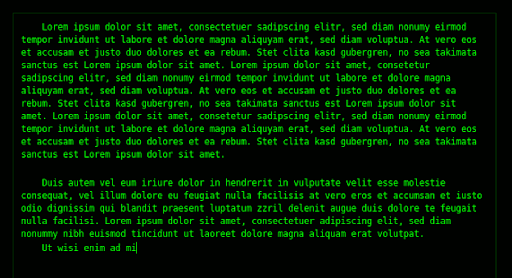
pyroom - Distraction Free Writing
Installation
Add following lines to /etc/apt/sources.list
deb http://ppa.launchpad.net/pyroom-dev/ubuntu hardy main deb-src http://ppa.launchpad.net/pyroom-dev/ubuntu hardy main
Now install pyroom.
sudo apt-get update && sudo apt-get install pyroom
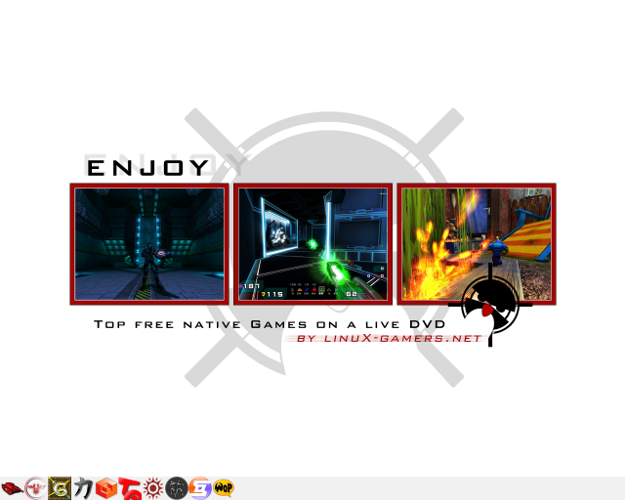
linux-gamers.net Live Game DVD
This live DVD contains native Linux games which can be run directly without installation. Game state can be saved to a USB stick.
Supported Games
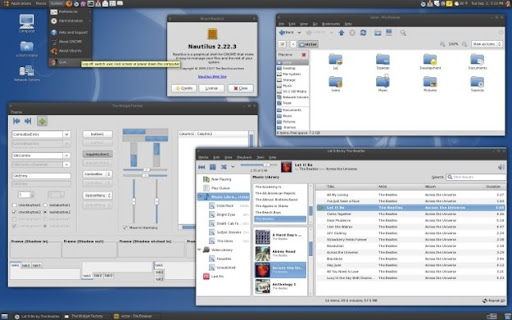
Preview Gtk Themes Without Installing Them

The widget factory is a small application that allows previewing gtk themes without applying them system wide.
Installation
Install the package thewidgetfactory.
sudo apt-get -y install thewidgetfactory
Use following command to launch the widget factory.
twf
MonoDevelop.net - Develop Mono Apps
MonoDevelop is an IDE for developing .Net compatible applications for *nix & windows platforms. It support .Net, C++, C#, Java and several other languages. Offers code completion, project management, build management, Database management, Version control, and Add-In support for implementing other features.
Installation
You need to install the package MonoDevelop.
sudo apt-get -y install monodevelop
Fetaures
- Workbench - Offers different types of pads for project management to deployment.
- Customization - Offers different layouts just like eclipse so that you can have different views when doing different things.(debugging, editing, GUI building)
- Database management.
- Version control.
- Visual Studio integration.
- Inbuilt .Net C#, Gtk# documentation.
- Language translation support.
- Package and deployment for different operating systems.
- Gui builder "GTK# Designer".
Turn on Font Autohinting
Execute following command and restart your gui session to enable autohinting.
sudo ln -sf /etc/fonts/conf.avail/10-autohint.conf /etc/fonts/conf.d/
Extra Visualizations for Rhythmbox
Default Ubuntu media players ship with boring and very minimal visualizations. Here is the guide to get bucket load of visualizations on Ubuntu.
libvisual plugins
This package adds around 8 more visualizations to Rhythmbox. BTW visualizations shipped with this package doesn't work in totem at least for me. To install this package execute following command.
sudo apt-get -y install libvisual-0.4-plugins
Disable System Beep/Sound in Ubuntu
To temporarly disable system beep for current session use following command.
sudo rmmod pcspkr
To perminently disable system beep add following line to /etc/modprobe.d/blacklist file.
blacklist pcspkr
PPA for OpenOffice.org 3.0
For Intrepid
deb http://ppa.launchpad.net/openoffice-pkgs/ubuntu intrepid main deb-src http://ppa.launchpad.net/openoffice-pkgs/ubuntu intrepid main
For hardy
deb http://ppa.launchpad.net/openoffice-pkgs/ubuntu hardy main deb-src http://ppa.launchpad.net/openoffice-pkgs/ubuntu hardy main
Download OpenOffice 3.0
Another way is to directly download relevant OpenOffice 3.0 binary deb archive from this download page and install it. Make sure you uninstall previous version of OpenOffice before installing newer one.
Rhythmbox as Media Server (UPnP/DLNA)
You can configure Rhythmbox to act as central media server using its built in plugin support. Using this ability you can access your media(music or videos) from remote location.
Installation
First you need to install python-coherence package.
sudo apt-get -y install python-coherence
Now open Rhythmbox >> Edit >> Plugins and check DLNA/UPnP sharing and control support. From now onwards when ever you start rhythmbox all of your UPnP compatiable devices and software applications will show the Rhythmbox served media server.
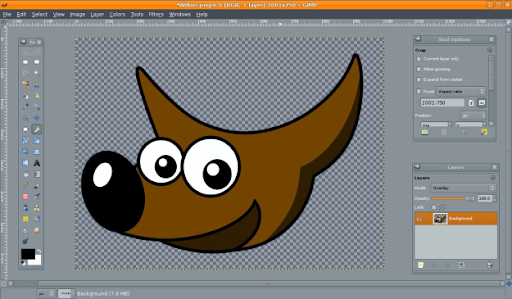
GIMP 2.6 Released

Gimp 2.6 just released and you can install it right away.
For hardy
deb http://ppa.launchpad.net/getdeb.packages/ubuntu hardy main deb-src http://ppa.launchpad.net/getdeb.packages/ubuntu hardy main
getdeb.net has latest gimp 32bit deb packages for ubuntu hardy.
32bit GIMP 2.6 packages for ubuntu hardy.
For intrepid
deb http://ppa.launchpad.net/c-korn/ubuntu intrepid main deb-src http://ppa.launchpad.net/c-korn/ubuntu intrepid main
Paste above repo section that corresponds to your Ubuntu version inside file /etc/apt/sources.list. Make sure you add these lines at the top of sources.list. Then do an apt-get update and reinstall gimp.