Posts

Showing posts with the label desktop enhancements

Writing telugu(transliteration) using ibus in ubuntu 12.10

Image
Ubuntu 12.10 uses ibus by default and scim is having some problems for telugu-rts(phonetic,transliteration typing). Other Indic scripts(Hindi, Tamil etc.) might have the same problem. For idiosyncrasies of working with indic transliteration, see this  explanation . The following procedure works for telugu-rts. $ sudo apt-get install ibus-m17n m17n-contrib $ im-switch Select ibus in the available input methods. Logout and login. ibus daemon should to be started(ps xa | grep ibus). $ ibus-setup In "Input Method" tab,  tick "Customize active input methods" In "Select an input method" drop-down, select Telegu -> rts(m17n) In some app(gedit etc. ), press ctrl+space(to select ibus) and start typing... à°ªంà°¡à°— à°šేà°¶ుà°•ో మరి paMDaga chESukO mari

bisigi project - excellent ubuntu themes site.

Execute following command to setup bisigi ppa repo and install themes. sudo add-apt-repository ppa:bisigi sudo aptitude update sudo aptitude install bisigi-themes Get ubuntu themes at besigi project

PySide : Nokia's offical python bindings for QT

Nokia started working on providing official python bindings for QT after talks with PyQt creators riverbank failed. The new API is called PySide and it's available under LGPL license and going to maintain API compatibility with PyQt thus ensuing porting of existing PyQt applications with minimal or no changes. Nokia is going to provide pyside as an alternative option to develop mobile applications for next Maemeo 5 devices. Get pyside

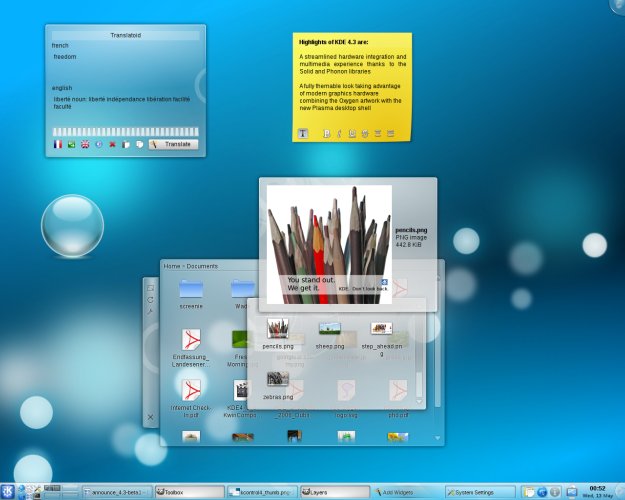
Getting KDE 4.3 on Ubuntu Jaunty

Image
Add following two lines to your /etc/apt/sources.list . deb http://ppa.launchpad.net/kubuntu-ppa/backports/ubuntu jaunty main deb http://ppa.launchpad.net/kubuntu-ppa/staging/ubuntu jaunty main Execute following command to setup GPG keys and to update your apt package meta data. sudo apt-key adv --keyserver keyserver.ubuntu.com --recv-keys 8AC93F7A sudo apt-get update If you already have previous version of KDE execute following command. sudo apt-get -y dist-upgrade If you don't have any KDE version already installed then execute following command. sudo apt-get -y install kubuntu-desktop

.recently-used.xbel - The XML Horror

xbel stands for XML Bookmark Exchange Language and .recently-used.xbel file contains list of recently opened files. This file is opened and parsed every time you open a file inside GTK application like eog (Eye of Gnome Image Viewer). This file could grow larger (some times megabytes) and affect the responsiveness of the GTK application. I don't know why GTK team chose XML format rather than something like SQLite which offers faster retrieval and lookup of entries. Assumptions aside lets disable this fracking thing and make your GTK applications much more responsive. Disable .recently-used.xbel You should have either .gtkrc or .gtkrc-2.0 in your home directory if not create a new file and add following line to it. gtk-recent-files-max-age=0 Now restart your gnome environment for faster desktop environment.

Get Awesome

Add following line to your /etc/apt/sources.list deb http://ppa.launchpad.net/saispo/ubuntu/ intrepid main Do an update and apt-get awesome to install or to upgrade. sudo apt-get update sudo apt-get -y install awesome You will get latest version of awesome window manager that is far more newer than the one in official repo.

KDE 4.2 Released

Image
Installaing KDE 4.2 Add following line to your /etc/apt/sources.list file. deb http://ppa.launchpad.net/kubuntu-experimental/ubuntu intrepid main Execute following command to install gpg key. gpg --keyserver keyserver.ubuntu.com --recv-keys 493B3065 && gpg --export -a 493B3065 | sudo apt-key add - Now do an apt update sudo apt-get update Now you can upgrade your existing kde installation using following command. sudo apt-get -y dist-upgrade I started using KDE 4.2 and it's pretty usable. It has polished interface and many GUI glitches are fixed.

wmii - Simple Window Manager

Image
Installation sudo apt-get -y install wmii Usage Restart your current GUI session and select wmii from your login manager. You will be presented with a blank screen, now press Mod+Enter to start a new terminal. Following are the useful keyboard shortcuts. Mod+Enter - Start a new terminal Mod+M, Mod+S, Mod+D - Maximized layout, Stacked layout, Reset to default layout(equal height). Mod+H, Mod+L, Mod+J, Mod+K - Move focus to left, right, down, up window. Mod+Shift+H, Mod+Shift+L, Mod+Shift+J, Mod+Shift+K - Move current window to left, right, down, up. Move to left or right keys will result in new column if there is no column exists in that direction. Mod+P - Shows an application launcher. Customization wmii is glued together using bash scripts so its easy to customize. wmii exposes its settings as a virtual file system and you can modify settings using wmiir command.

Enigma Desktop for Linux

Image
This sexy desktop mod was initially designed for windows but it's now ported to Linux. Give it a try. Download Enigma Desktop & Get Installation Instructions.

vibrantink - Textmate Color Theme for Vim

Image
Get Vibrantink Theme

Dots Emerald Theme

Image
Get Dots Emerald Theme

Ubuntu Intrepid GDM Theme

Image
Get Ubuntu Intrepid GDM Theme

Hide Icons on Gnome Desktop

The first step in achieving clutter free desktop area is "Hiding icons on desktop". Gnome provides a way to do that. First open up gconf-editor (Gnome Configuration Editor) by executing following command. gconf-editor Now navigate to /apps/nautilus/preferences and uncheck the tick mark on the option show desktop . As soon as you uncheck the option show desktop icons on your desktop will instantly disappear.

Deviant Emerald Theme

Image
Get deviant emerald theme

Amusement - Minimal Emerald Theme

Image
Get Amusement Emerald Theme

epidermis - Download and Apply Theme Packs in one Click

Image
Epidermis allows you to download and apply pigments in one click. Here a pigment is a pack of wallpaper, gtk theme, window manager theme, splash screen, gdm theme,etc... Installing epidermis Download epidermis deb package from this page and install it. Using epidermis Start epidermis from command line and start updating epidermis repo to find new themes. And apply any pigment that you like.

Dust Theme

Image
Download Dust Theme

Turn on Font Autohinting

Execute following command and restart your gui session to enable autohinting. sudo ln -sf /etc/fonts/conf.avail/10-autohint.conf /etc/fonts/conf.d/

Shiki Colors Gtk Theme

Image
Shiki Colors Theme

Extra Visualizations for Rhythmbox

Image
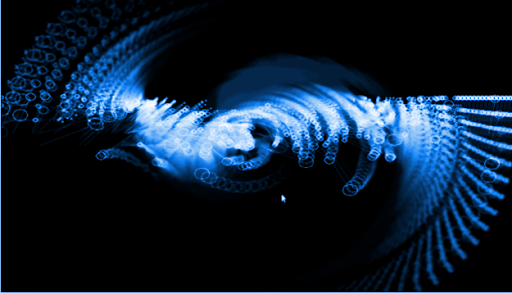
Default Ubuntu media players ship with boring and very minimal visualizations. Here is the guide to get bucket load of visualizations on Ubuntu. libvisual plugins This package adds around 8 more visualizations to Rhythmbox. BTW visualizations shipped with this package doesn't work in totem at least for me. To install this package execute following command. sudo apt-get -y install libvisual-0.4-plugins